Kefir Hub
Kefir Hub is the homebrew app that comes with Kefir. It launches your homebrew, installs games, manages saves, cheats, themes and user profiles, and updates Kefir and the firmware, all from one place on the console.
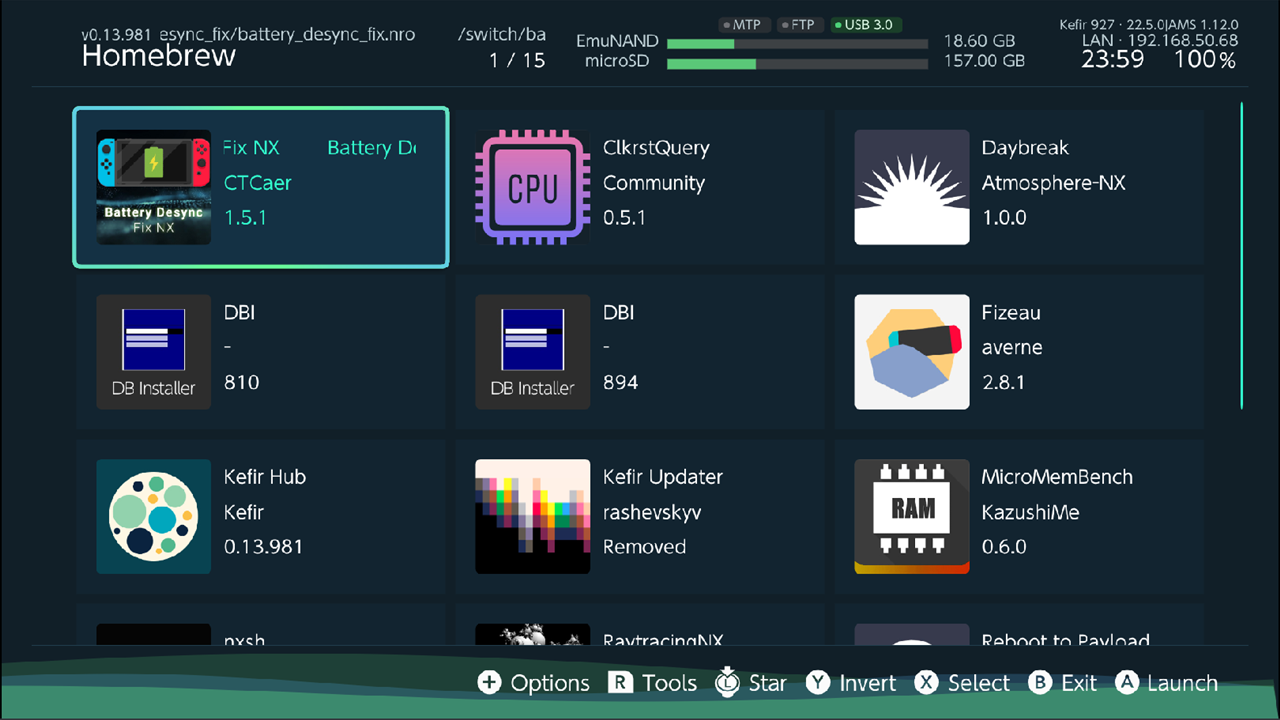
Start Kefir Hub
Kefir Hub is a homebrew app (.nro), so it starts from the Homebrew Menu like any other homebrew.
It looks for itself at /switch/kefir-hub/kefir-hub.nro and /switch/kefir-hub.nro on the memory card.
- Open the Homebrew Menu: hold R while you open the Album or start any installed game, and keep holding it until the Homebrew Menu opens. (This is Kefir's setting. On plain Atmosphère the Album opens it without R.)
- Select Kefir Hub and press A.
The way you start it matters:
- From the Album (applet mode). Kefir Hub gets little memory. Large compressed games (NSZ) are unlikely to install, and the web server is slower.
- From a game with R held (title mode), or from a HOME Menu icon. Kefir Hub gets the full memory. Use this mode for installing games.
Tip
To get a HOME Menu icon that always starts Kefir Hub in title mode, go to the Tools tab, press + and choose Install Title Mode forwarder. When it is done, return to HOME and start the new icon.
Make Kefir Hub open instead of the Homebrew Menu
Settings → Homebrew → Replace hbmenu on exit. When this is on, Kefir Hub copies itself to
/hbmenu.nro each time you exit it, so the Album and the R-held game open Kefir Hub directly.
Turn it off to get the old Homebrew Menu back: Kefir Hub asks Restore hbmenu? and restores it from
/switch/hbmenu.nro. Default: Off.
First start
- Pick your language. The list opens on the console language. You can change it later, see Getting started.
- If some user profiles on the console are not linked to a Nintendo Account, Kefir Hub offers to link them. See Users.
The two tabs
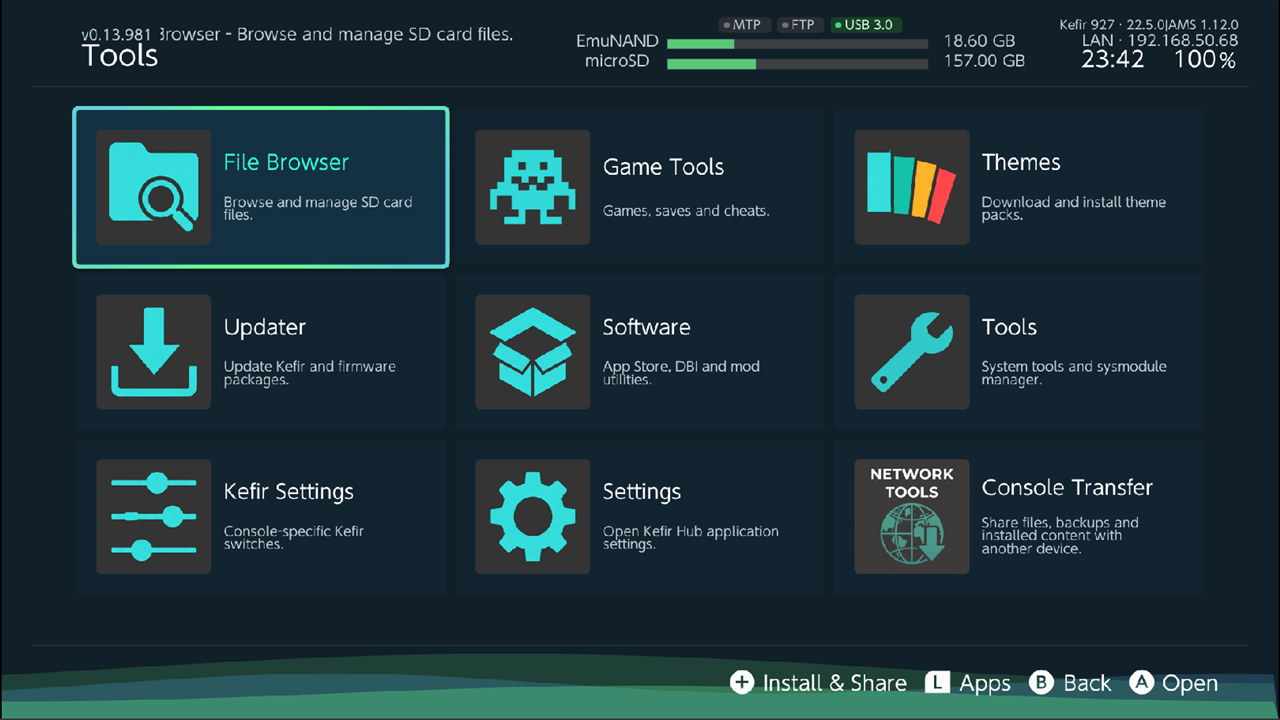
Kefir Hub has two tabs. Press R to go to Tools, press L or B to go back to Homebrew.
- Homebrew lists the homebrew apps on your memory card. See Homebrew.
- Tools is a grid of everything else:
| Tile | What it opens |
|---|---|
| File Browser | Files on the memory card, USB drives and network shares. File Browser |
| Game Tools | Games, Saves and Cheats. Games, Saves, Cheats |
| Themes | Theme packs for the HOME Menu. Themes |
| Updater | Kefir and firmware updates. Updater |
| Software | App Store, DBI and other software. Software |
| Tools | Module Manager, Fan curve, Wi-Fi, Users. System tools, Users |
| Kefir Settings | Console settings that belong to Kefir. Kefir settings |
| Settings | Settings of Kefir Hub itself. Settings |
| Console Transfer | Share files and backups with another device. Console transfer |
What can I do
- Launch, sort and remove homebrew: Homebrew
- Copy, move, unpack and edit files: File Browser
- Install games from the memory card, a PC, a USB drive, the network or a game card: Installing games
- Back up and restore saves: Saves
- Download cheats: Cheats
- Update Kefir and the firmware: Updater
- Share the memory card with a PC over MTP, FTP or a browser: Sharing
- Fix a problem: Troubleshooting