Game cards
What Kefir Hub does with the game card in the console's card slot.
Where: Tools → Game Tools → Games
This version has no separate game card menu: you cannot install a game card's contents to the console from Kefir Hub.
Find the game card
- Insert the game card.
- Open Tools → Game Tools → Games.
- The game card is at the top of the list. Its icon has an outline and a GC badge.
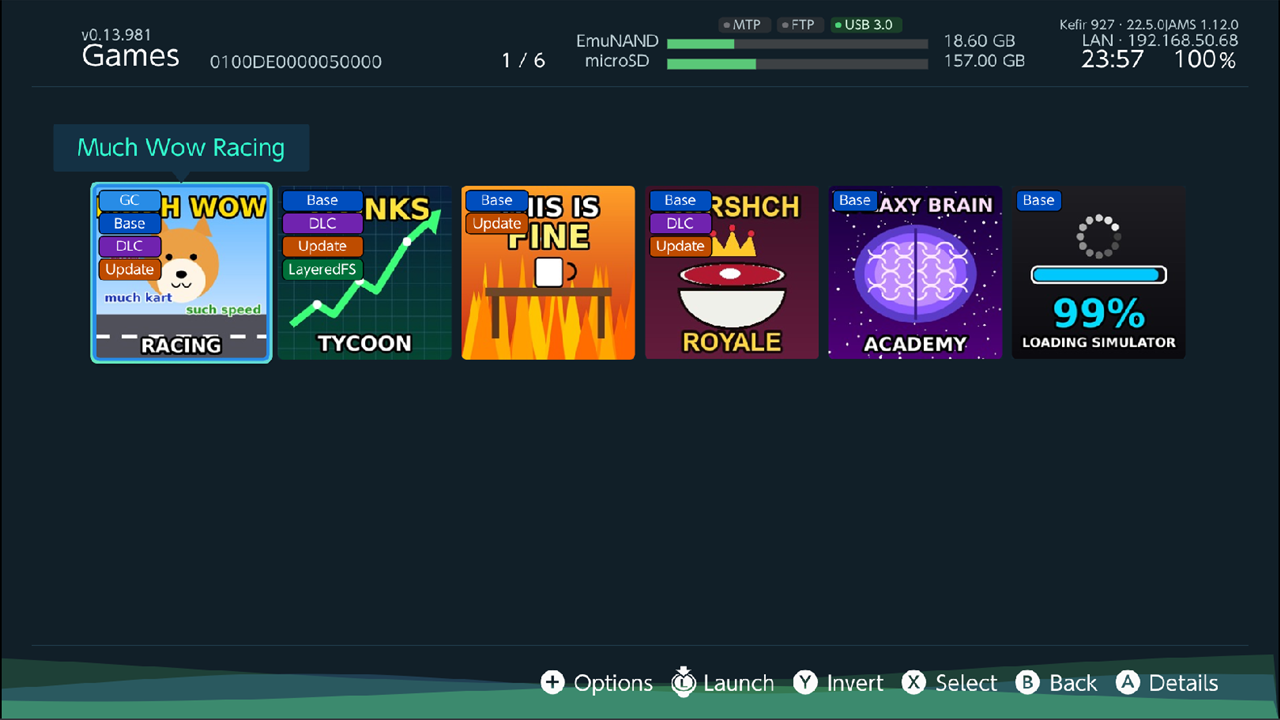
Dump the game card to NSP files
- Highlight the game card in Games and press +.
- Select Dump and choose what to dump, for example Dump All.
- Choose where to save the files.
The dump is described in Games. Dump settings are in Games → + → Advanced options → Dump options.