Cheats
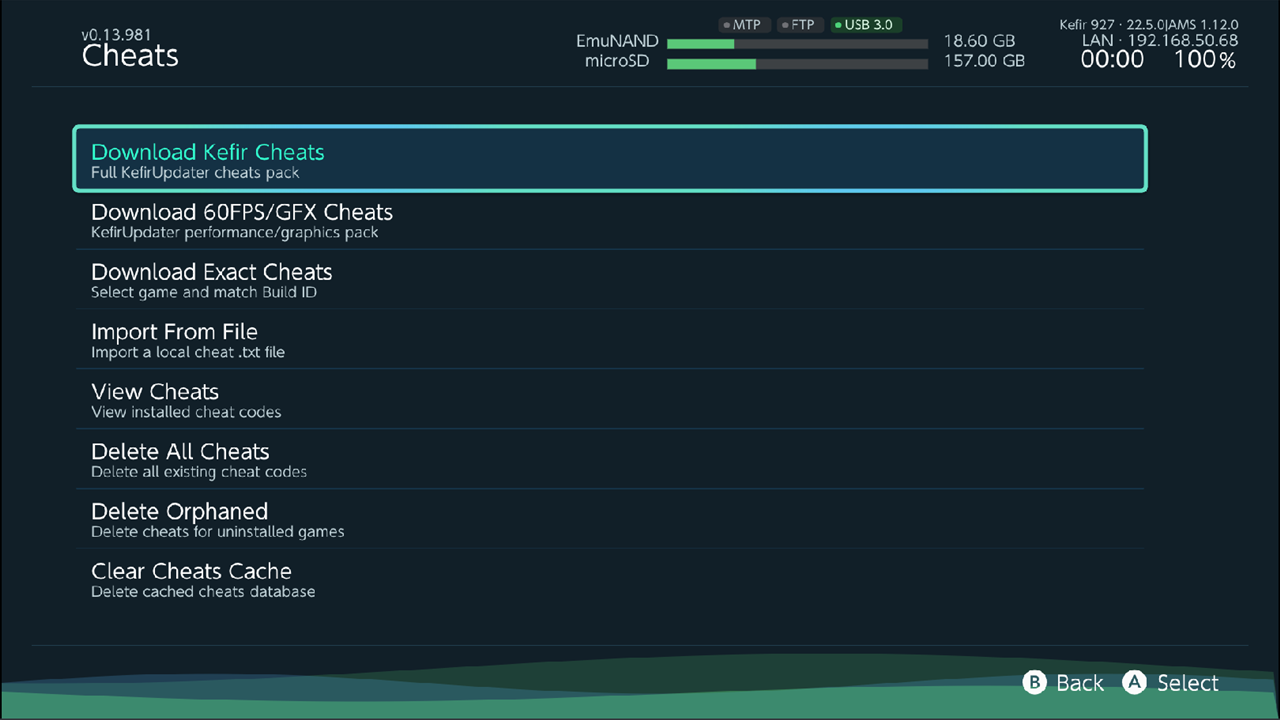
Download cheat codes for your games, import your own cheat files, look at what is installed and remove it. Atmosphère loads the cheats from the microSD card when the game starts.
Where: Tools → Game Tools → Cheats
How cheats work
Each game's cheats are a text file named after the game's Build ID — a code that changes with every game update:
/atmosphere/contents/<title id>/cheats/<BUILD ID>.txt
A cheat file only works for the exact game version it was made for. After a game update, the old file no longer matches; see Fix cheats after a game update.
Kefir Hub installs, shows and deletes cheat files. It does not turn single cheats on or off: do that in the game with the EdiZon overlay in the Tesla menu. Kefir opens the Tesla menu with L + R3 + D-pad down.
Install a complete cheat pack
- Choose Download Kefir Cheats (cheats for many games) or Download 60FPS/GFX Cheats (frame rate, resolution and graphics cheats).
- Confirm with Download.
- Wait for Cheats pack installed.
The pack comes from the switch-cheats-db project and is unpacked into /atmosphere. Existing cheat files with the same name are overwritten. You need an internet connection.
Download cheats for one game
- Choose Download Exact Cheats.
- A list of your installed games opens. Focus a game and press A.
- Kefir Hub finds the game's Build ID and loads the matching cheats. The Build ID is shown next to the game name at the top.
- Pick cheats:
- A — Toggle the focused cheat.
- X — Select All (press again to unselect all).
- R — Preview the cheat code.
- Press Y (Download) and confirm.
![Cheat list for one game: game name and Build ID at the top, three cheats ticked [X]](../img/cheats-select.png)
New cheats are added to the game's existing cheat file; cheats with the same name are skipped. One file holds at most 128 cheats — Atmosphère reads no more; extra cheats are not installed.
Tip
Start the game once, close it, and then download. Kefir Hub reads the Build ID most reliably from the running or installed game. If it cannot, it looks the version up online, which can be wrong for some games.
Import a cheat file
Use this for a .txt cheat file you copied to the microSD card.
- Choose Import From File.
- Pick the
.txtfile. - Pick the game it belongs to.
- The dialog shows the target Build ID. If the file is named after another Build ID (or not after a Build ID at all), it is renamed to the target one. Confirm with Import.
If the game already has a cheat file for that Build ID, it is replaced.
View installed cheats
- Choose View Cheats. Every installed game that has cheats is listed with its title ID and number of cheat files.
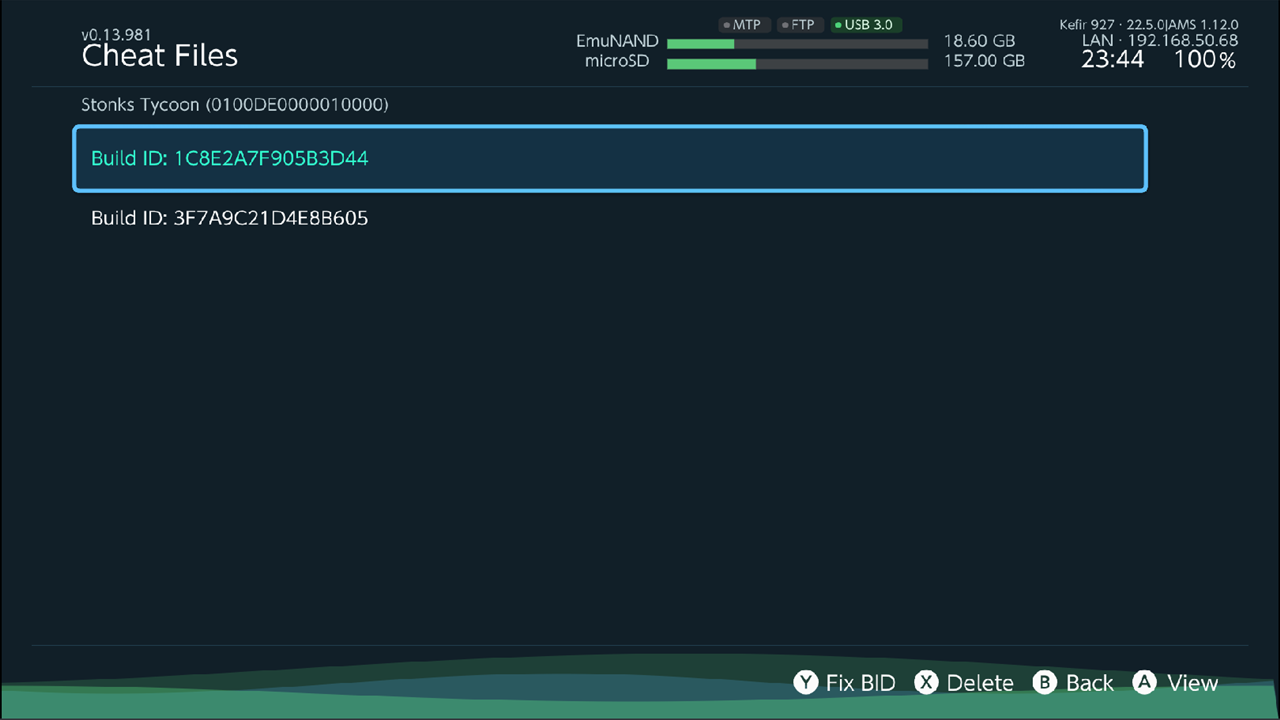
- Press A on a game. Its cheat files are listed by Build ID.
- Press A on a file. The cheats in it are listed.
- Press A (View Code) to see a cheat's code.
Fix cheats after a game update
If a game was updated, its old cheat file has the old Build ID and is not loaded.
- View Cheats → the game → focus the cheat file.
- Press Y (Fix BID).
- The dialog shows the old and the new Build ID. Confirm.
The file is renamed to the current Build ID. The codes inside are not changed: cheats made for an older version may not work, or may misbehave, after an update.
Delete cheats
- One file: View Cheats → the game → focus the file → X (Delete).
- One game: View Cheats → focus the game → Y (Delete).
- All installed games: Delete All Cheats. Removes the cheat folders of every game installed on the console.
- Games you no longer have: Delete Orphaned. Removes cheats of games that are not installed.
Clear the download cache
Clear Cheats Cache deletes the cheat database Kefir Hub keeps for Download Exact Cheats (/config/hats-tools/cheats-db). The next download fetches it again. Installed cheats are not touched.
Files
| What | Path on the microSD card |
|---|---|
| Cheat files | /atmosphere/contents/<title id>/cheats/<BUILD ID>.txt |
| Download cache | /config/hats-tools/cheats-db |
| Pack download (temporary) | /config/kefir-updater/cheats.zip |
Options
In the game list of Download Exact Cheats and Import From File, press + for Cheats Options:
| Option | What it does | Default |
|---|---|---|
| Layout | Icon, Grid or HB Menu. | Icon |
Press X (Refresh) there to scan the games again.
Problems
Cheats Not Found. The database has no cheats for this game, or none for its Build ID (game version).
The cheats do nothing in the game. The file's Build ID does not match the installed version. Use Fix BID or download cheats again.
A dialog says the Build ID could not be determined. Start the game once, close it, and try again.
No installed cheats found. No installed game has a cheat file.
Failed to install cheats pack. Check the internet connection and the free space on the microSD card, then try again.