Kefir Settings
Switches for Kefir and Atmosphère that change files on the memory card. Most of them reboot the console.
Where: Tools → Kefir Settings
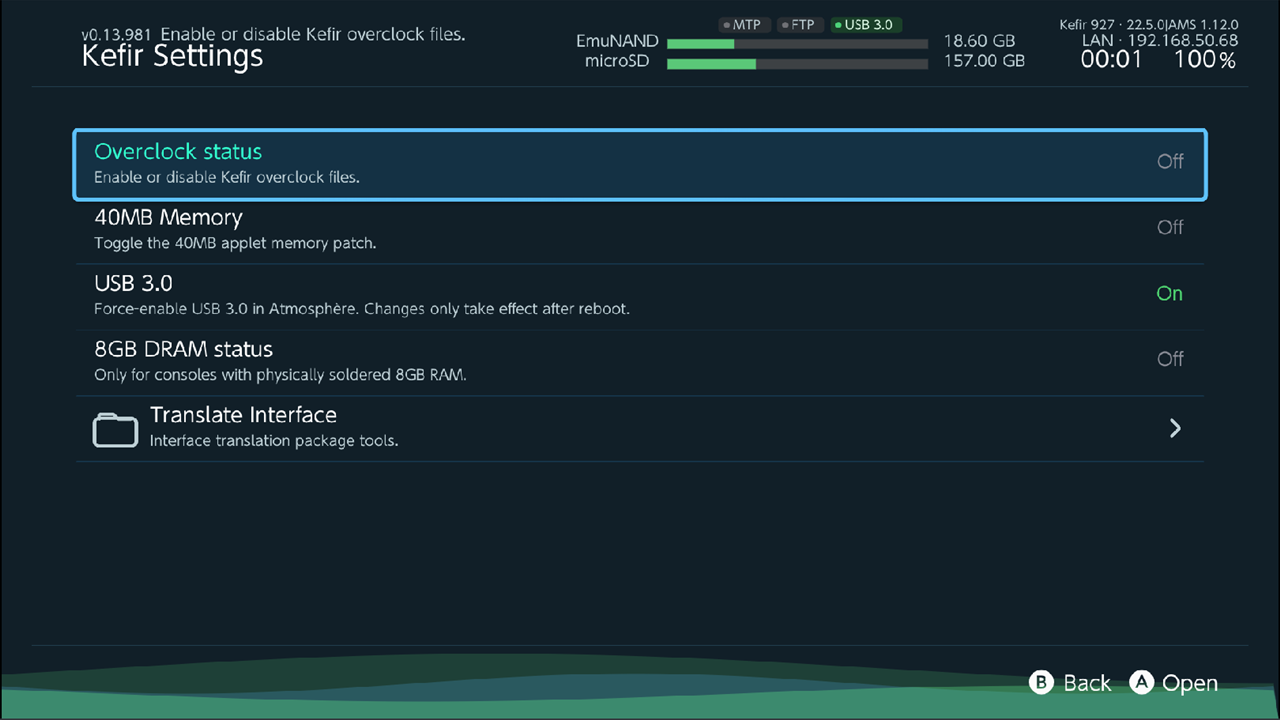
Change a setting
- Select the setting and press A.
- A confirmation box explains what happens. Hold A until the bar fills (half a second; three seconds for 8GB DRAM status). Press B to cancel.
- Kefir Hub changes the files and reboots the console right away (except USB 3.0, which asks).
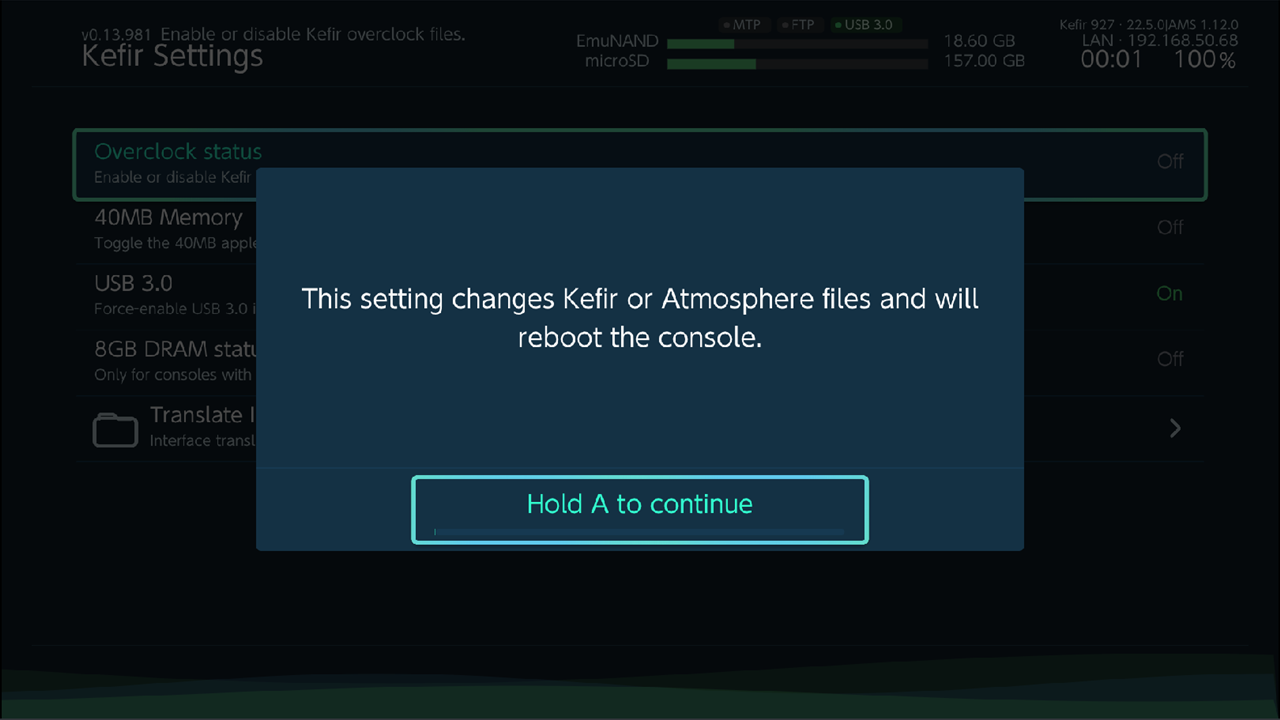
The value on the right side of each row is read from the memory card each time you open the menu, so it shows the real state, not what you last chose.
Settings
| Setting | What it does | Shown as On when | Default |
|---|---|---|---|
| Overclock status | Turns the Kefir overclock files on or off. Off removes the sys-clk module, its overlay and the overclock kips, and keeps a backup of the sys-clk config in /config/oc_bkp. On copies them back from /config/oc. Reboots. |
/atmosphere/kips/kefir.kip exists |
Off |
| 40MB Memory | Newer Atmosphère versions leave less memory for applets (homebrew started from the Album) and for LayeredFS game mods. This patch gives that memory back (force_40mb_applet in Atmosphère's system_settings.ini). Some games do not work properly with it on: if a game misbehaves, turn it off. Reboots. |
the patch is set | Off |
| USB 3.0 | Force-enables USB 3.0 in Atmosphère. Turning it on warns that it can cause crashes, instability or problems with some USB devices (hold A to confirm). The change takes effect only after a reboot; Kefir Hub asks Later or Reboot. | the setting is not explicitly off | Off |
| Redirect Emunand saves to SD | Experimental. Stores emuMMC saves on the memory card. Shown only when emuMMC is enabled. Turning it off also deletes /config/redirect.bin. Reboots. |
the setting is on | Off |
| 8GB DRAM status | Only for consoles with physically soldered 8GB RAM. Reboots into TegraExplorer to apply or remove the 8GB configuration. If the console boots with it On, the 8GB RAM is there and works. | /tegraexplorer/scripts/Remove_8GB-RAM_config.te exists. A console without 8GB RAM does not boot with it on, so On shows only on a real 8GB console. |
Off |
| Translate Interface | Opens the system translation tools. See below. | — | — |
Warning
Redirect Emunand saves to SD changes where emuMMC saves are read from. Saves can look missing until you turn it off again.
Warning
8GB DRAM status is only for consoles with 8GB RAM soldered on the board. Any other console will not boot correctly.
To undo it if the console does not boot: in hekate open Payloads → TegraExplorer and run the script Remove_8GB-RAM_config.te.
Translate the system interface
Translate Interface replaces one of the console's own system languages (Home menu, System Settings and other system screens) with a community translation. If Kefir Hub has the same language, it switches its own interface to it as well, without asking, and then reboots.
- Open Kefir Settings → Translate Interface.
- Select Load translations and hold A to download the list for your firmware. Later the item is called Refresh translations.
- Select a translation and press A.
- Choose the system language to replace (Replace language, or Select language to replace when none of the choices matches your console's language and region).
- If the translation was made for a different firmware, a warning says some text may be missing or wrong. Choose Continue or Cancel.
- Hold A to confirm. The translation is installed and the console reboots.
- After the reboot, set the replaced language in the console's System Settings, if it is not already active.
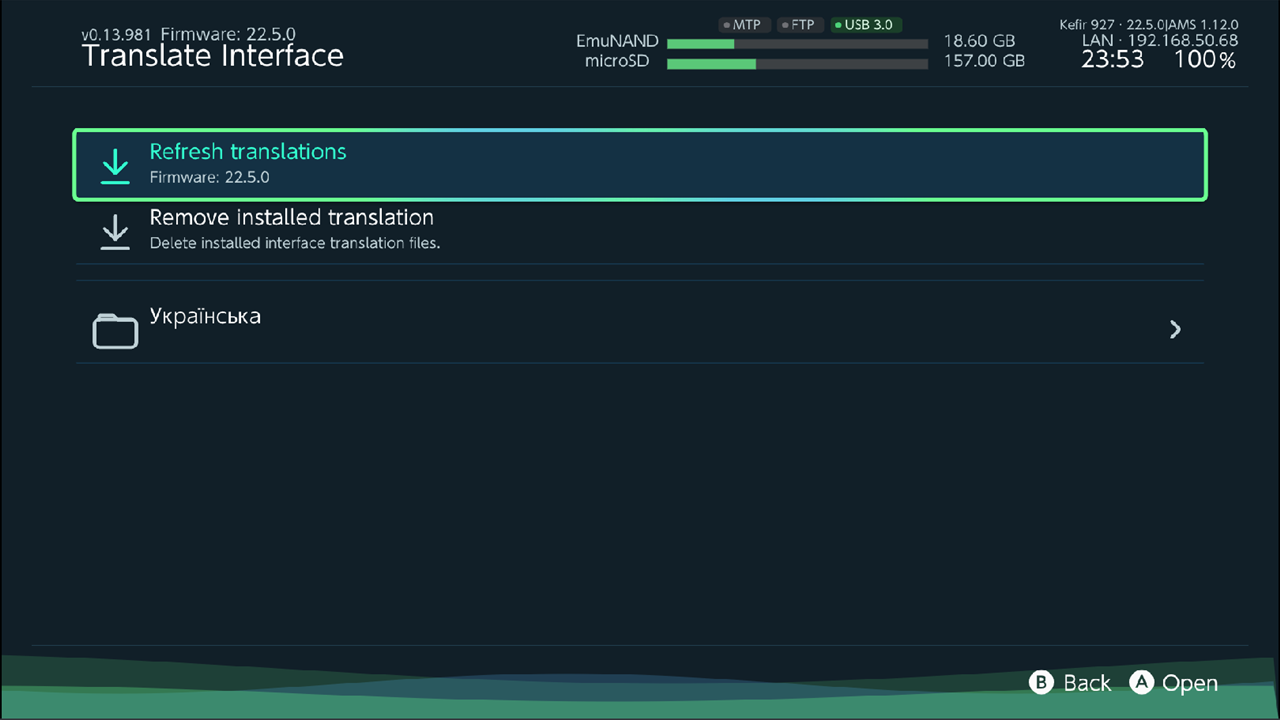
To go back to the original text, select Remove installed translation and hold A. The console reboots.
If no translation exists for your firmware, the first row shows your firmware and "Unsupported"; only Remove installed translation is available.
Tip
Every firmware install from the Updater removes installed translations. Install the translation again afterwards.
Problems
"Failed to apply Kefir setting". A file could not be written. Check that the memory card is not full or write-protected, then try again.
The console does not boot after turning on 8GB DRAM status. Run Remove_8GB-RAM_config.te from hekate → Payloads → TegraExplorer.
Saves are missing on emuMMC. If you turned on Redirect Emunand saves to SD, turn it off again.